Checks sender and message consistency
Flags mismatched names, suspicious domains, reply-to tricks, and language patterns that do not fit the message context.
PhishSure scans the Gmail message you have open, checks sender, links, language, and technical signals, then explains what looks legitimate or suspicious in plain language.
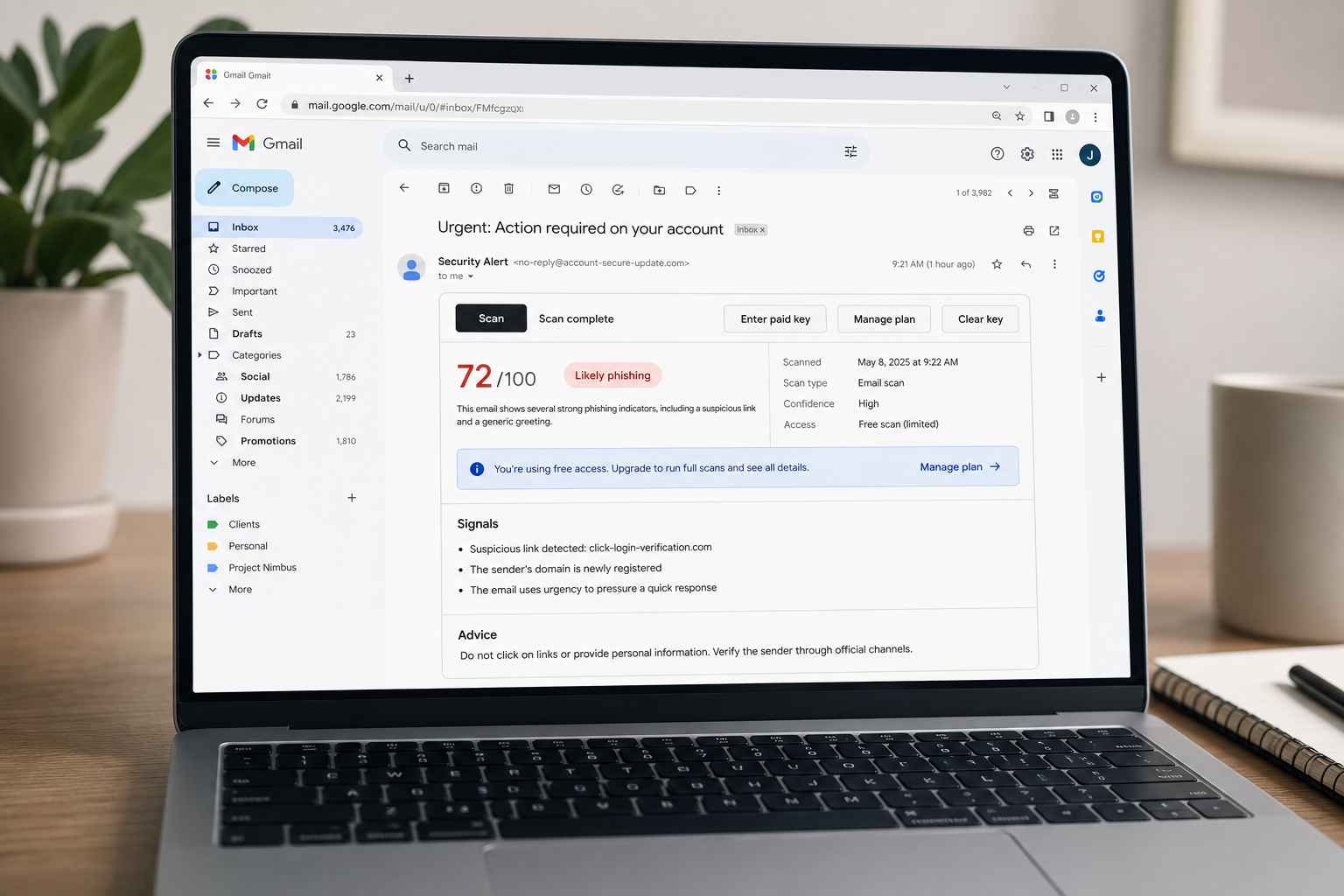
PhishSure adds a scan bar to Gmail, fetches the opened message, and sends it to a backend service for structured phishing analysis. The result is returned directly inside Gmail with a risk view that is faster to interpret than reading raw headers or guessing from appearance alone.
Flags mismatched names, suspicious domains, reply-to tricks, and language patterns that do not fit the message context.
Surfaces risky destinations, deceptive link text, and attachment clues that often show up in credential theft campaigns.
Shows a score, confidence, reasoning highlights, and an action recommendation instead of a black-box warning.
The extension runs inside Gmail. When you open a message and start a scan, PhishSure reads the current email, submits it to the scanning API, and returns a result panel with the most relevant risk signals.
The scan bar appears in the email view so you can assess a message without leaving your inbox.
PhishSure prefers the original message source when possible and falls back to visible page content when needed.
See risk level, confidence, grouped reasons, and whether the scan used free or full access.
Download the extension files, unzip them, open chrome://extensions, enable Developer mode, and load the unpacked folder.
PhishSure requests only what it needs to scan Gmail and store your local paid key. The backend keeps operational data limited and focuses on risk analysis rather than broad mailbox access.
The extension is scoped to https://mail.google.com/* and the configured backend API.
The extension stores an optional paid API key locally in Chrome so scans can unlock detailed checks.
Message content is sent to the backend for phishing evaluation. Free usage is rate limited to control abuse.
Stored scan data is limited to hashed private fields plus operational metadata for billing, feedback, and troubleshooting.
No. The extension depends on the PhishSure backend to perform the actual phishing analysis.
Free usage is intended for personal inboxes. Paid access unlocks business-domain coverage and more detailed checks.
The current package is a Chrome extension built for Gmail in the browser.
Storage access for local key handling and host access for Gmail plus the configured backend API origin.
Use the extension for Gmail message scans, or download the package and set it up locally in a few minutes.